
What GPU do I have? The fastest way to find out on Windows is Task Manager: press Ctrl + Shift + Esc, open the Performance tab and click GPU. Your graphics card’s name is in the top-right corner, and the same screen shows how much video memory (VRAM) it has. Below are the other ways to check on Windows 11, on a Mac and in Steam.
Quick answer
- Windows 11: Ctrl + Shift + Esc → Performance → GPU. The name is top right.
- Mac: Apple menu → About This Mac. On Apple silicon the GPU is part of the chip (for example Apple M3).
- Steam: Help → System Information → Video Card.
- VRAM: shown as “Dedicated GPU memory” in Task Manager.
Table of contents
How to check what GPU you have on Windows 11
Windows 11 shows your graphics card in five places, and Task Manager is the quickest. All five work without installing anything. If your PC has two GPUs, for example a laptop with integrated Intel graphics and a separate Nvidia card, Windows lists both, and the separate card is the one games use.
Task Manager (fastest)
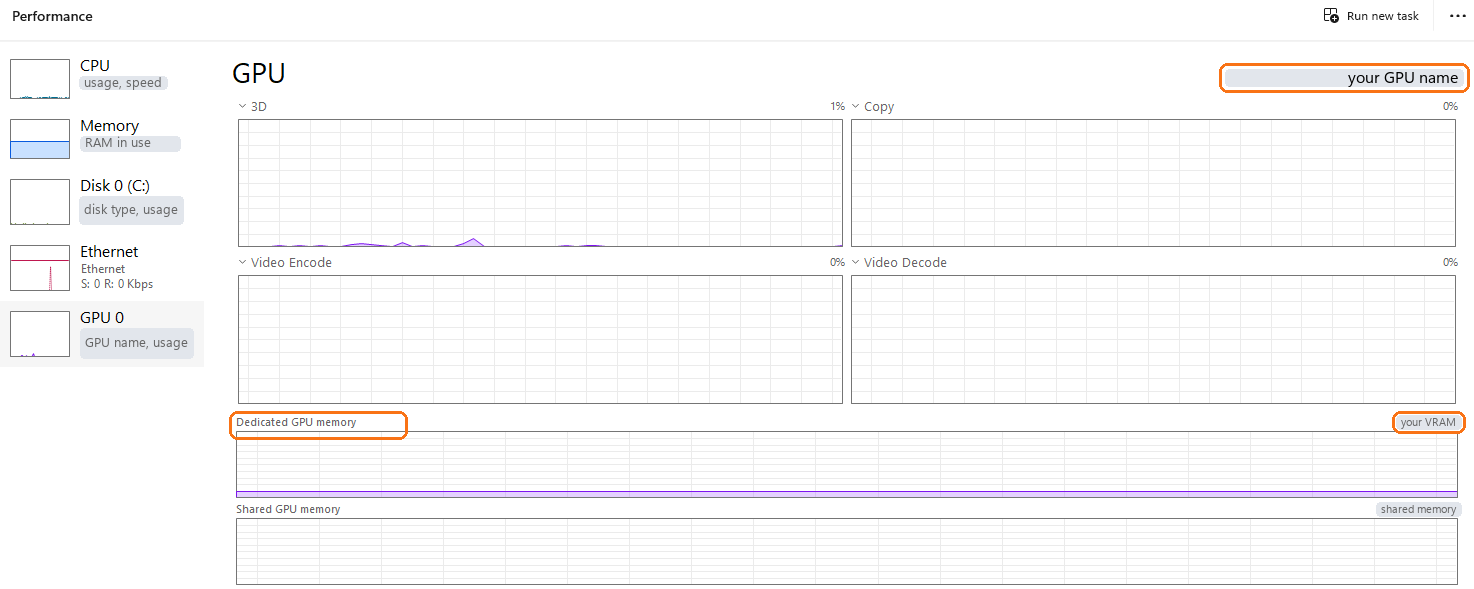
- Press Ctrl + Shift + Esc to open Task Manager.
- Click the Performance tab (the chart icon on the left).
- Click GPU 0, or GPU 1 if you have two. The card’s name is in the top-right corner.
- Look for Dedicated GPU memory under the graphs. That is your VRAM.
Settings
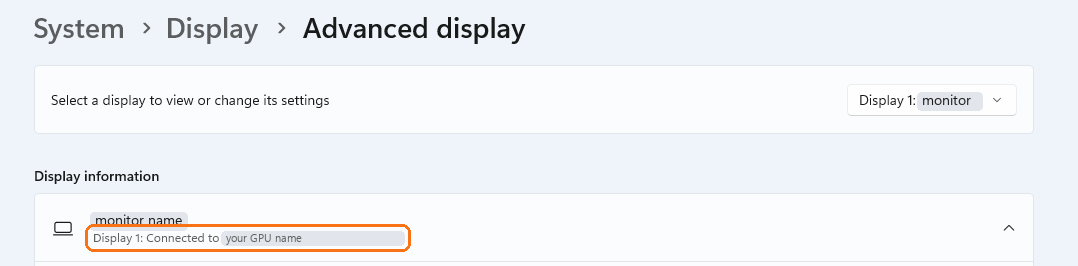
- Press Win + I to open Settings.
- Go to System → Display → Advanced display.
- Under Display information, the line “Connected to” names the GPU that drives that screen.
DirectX Diagnostic Tool (dxdiag)
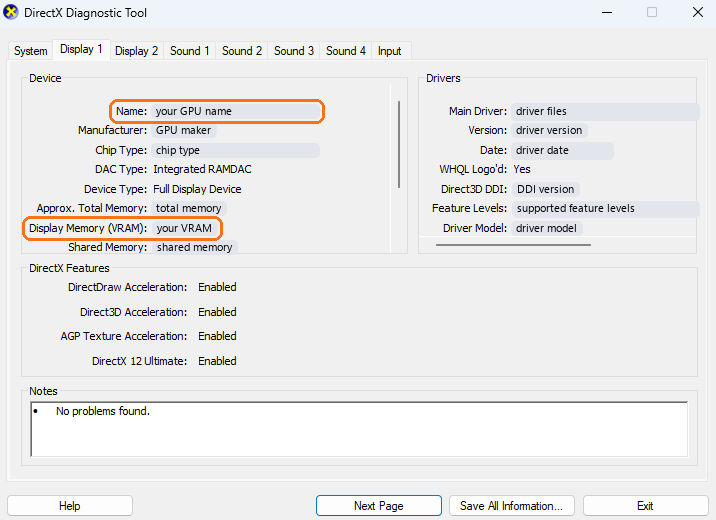
- Press Win + R, type dxdiag and press Enter.
- Open the Display tab. If you have two GPUs, the second one is on the Render tab.
- Read the Name line for the card and Display Memory (VRAM) for its memory.
Device Manager
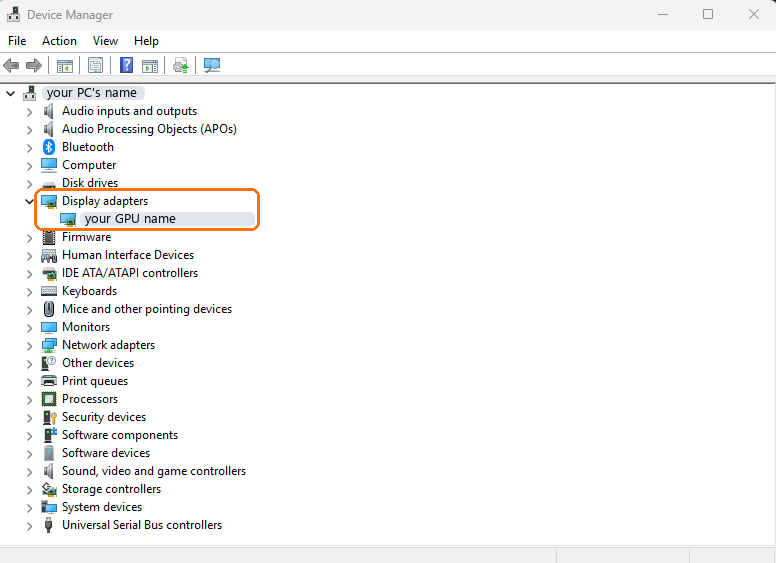
- Press Win + X and choose Device Manager.
- Expand Display adapters. Every GPU in the PC is listed there.
PowerShell (one command)
- Press Win + X and choose Terminal.
- Paste the command below and press Enter.
- The Name column lists every GPU in the PC, with its driver version next to it.
Get-CimInstance Win32_VideoController | Select-Object Name, DriverVersion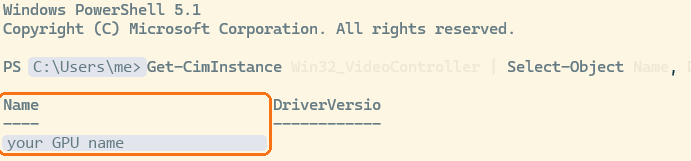
How to see what GPU you have on a Mac
On a Mac with Apple silicon, the GPU is built into the chip, so the chip name is your answer. Click the Apple menu → About This Mac, and the Chip line shows it, for example Apple M3. The same line is in System Settings → General → About. Older Intel Macs show a Graphics line with the card’s name and memory instead.
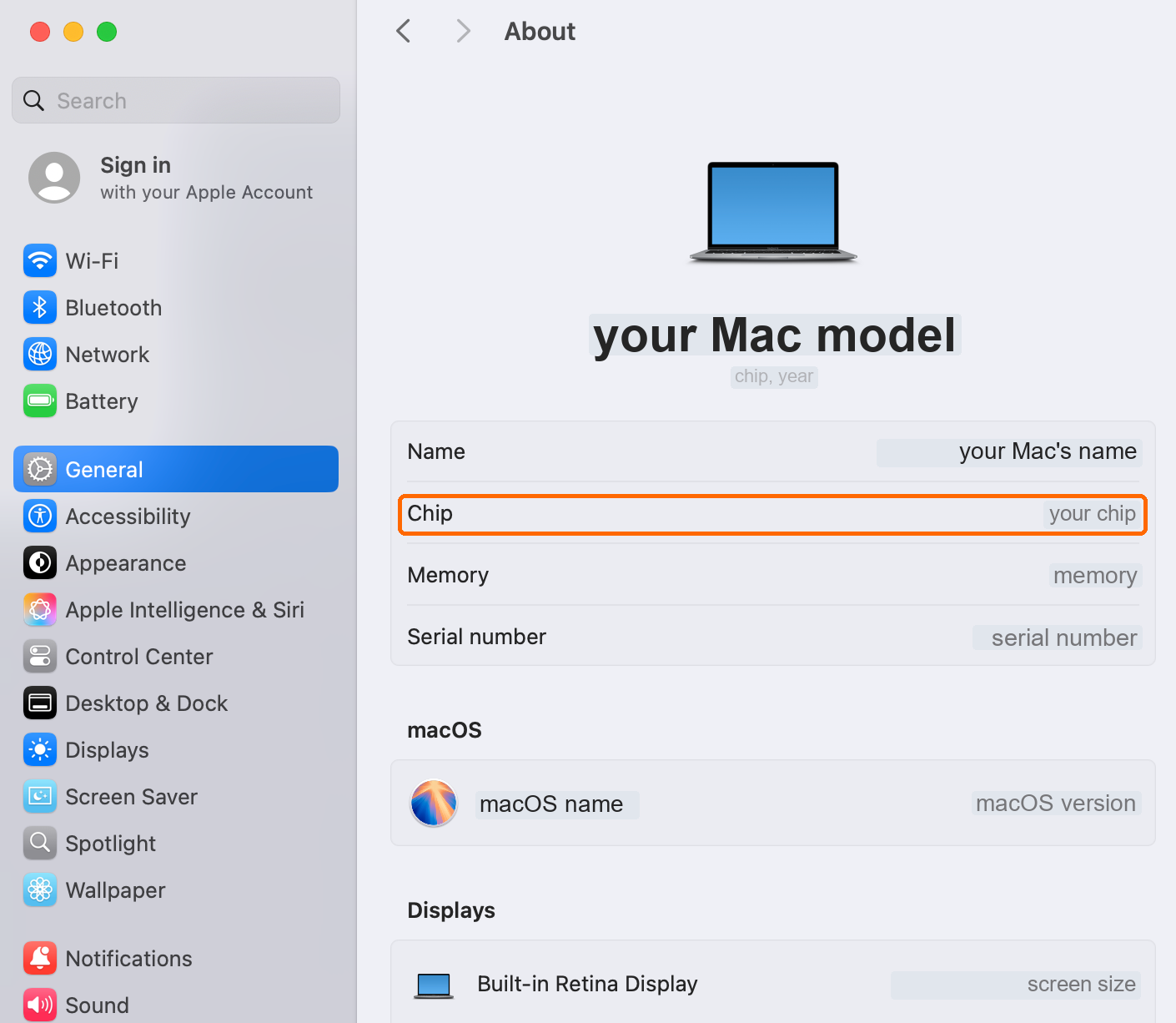
For more detail, click More Info → System Report and open Graphics/Displays. That page lists the chipset model and, on Apple silicon, the number of GPU cores. Apple silicon Macs share memory between the processor and the GPU, so there is no separate VRAM figure.
How to check your GPU in Steam
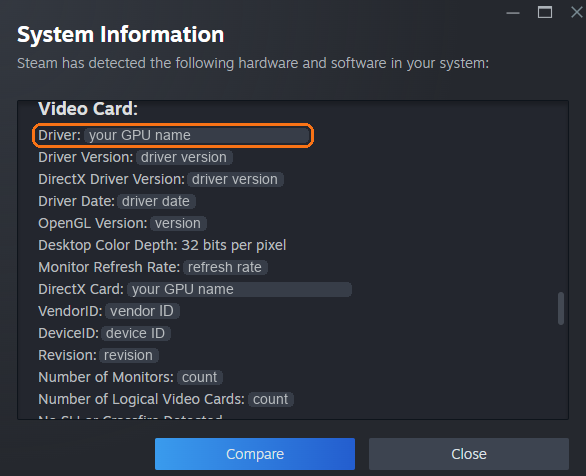
If Steam is already open, you can check your GPU without leaving it. Click Help → System Information in the Steam menu and scroll to the Video Card section. It lists the card’s name, driver version and video memory, the same details games compare against their system requirements.
Is my GPU good enough for games?
Once you know your GPU, check it against a game’s system requirements. We checked the PC requirements of Steam’s 100 most-played games, and the GTX 1060 from 2016 shows up more than any other card, as both the minimum and the recommended GPU. Our research also lists the card each game names and the best GPU for gaming across all of them.
What is a GPU?
A GPU, or graphics processing unit, is the chip that draws a game’s images on your screen. In a gaming PC it usually sits on a separate graphics card from Nvidia (GeForce), AMD (Radeon) or Intel (Arc). Many processors also have a small GPU built in, called integrated graphics, which is enough for lighter games and everyday use.
What GPU do I have: FAQ
- What is my GPU? On Windows, press Ctrl + Shift + Esc, open Performance and click GPU. The name in the top-right corner is your GPU.
- How do I tell what GPU I have without opening my PC? Every method on this page works without opening the case. Task Manager, Settings, dxdiag, Device Manager and PowerShell are all built into Windows.
- How do I check how much VRAM my GPU has? Task Manager shows it as Dedicated GPU memory, and dxdiag shows it as Display Memory (VRAM).
- Why does my PC show two GPUs? Many PCs and laptops have integrated graphics in the processor plus a separate graphics card. Games use the separate card, which is usually the Nvidia or AMD one.
- What GPU do I have on a Mac? On Apple silicon Macs, the GPU is part of the chip shown in About This Mac, for example Apple M3.